


Track-It Hurricane Tracker
4.6228.00 Reviews
App Specs
- Version
- 7.1.05
- Updated On
- License
- Free
- Downloads
- 50,000+
- Developer
- Down South Customs
- Categories
- Weather
- Platform
- Android
Screenshots
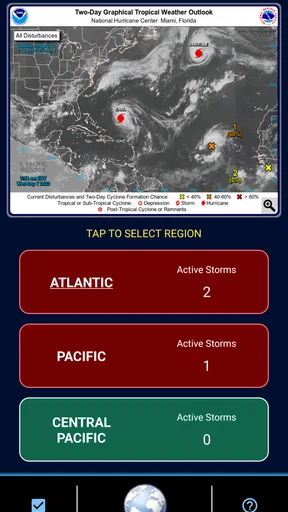
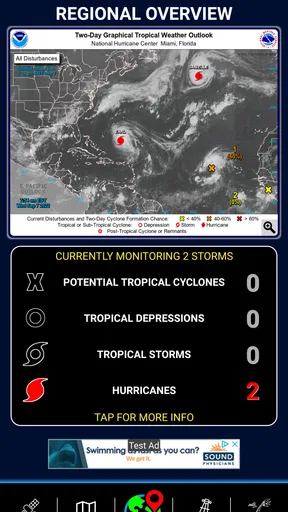
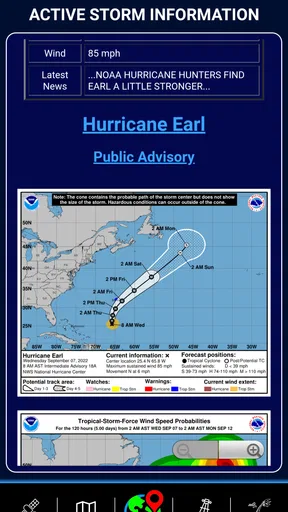
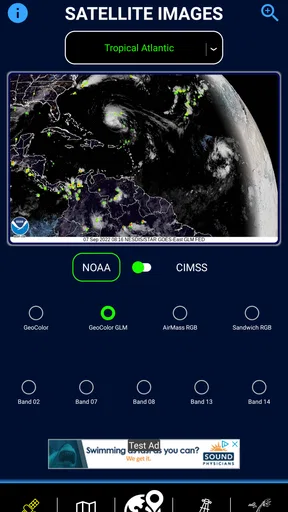
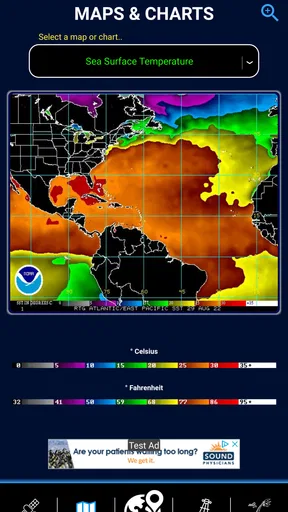
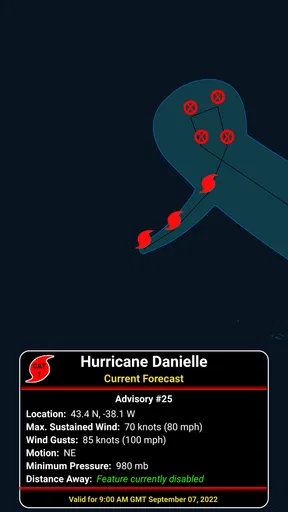
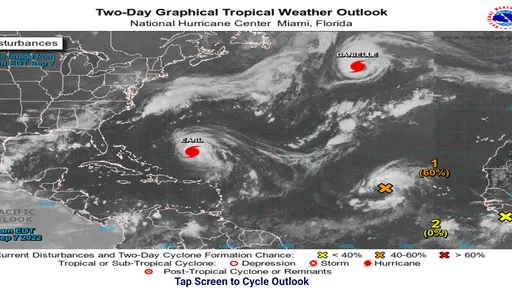
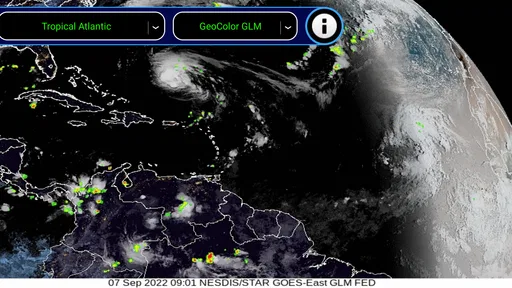
 Analysis by AppCompare
When a tropical system starts appearing in the forecast, the difficult part is rarely finding one update. The real problem is checking several sources repeatedly, separating useful movement information from general weather noise, and remembering which details matter for home, travel, or family plans. I found Track-It Hurricane Tracker most useful as a focused place to follow that situation without turning every check into a search through a full weather service.
This is a free weather app from Down South Customs, aimed specifically at hurricane tracking rather than everyday forecasts. Its store summary promises a simple tracker with plenty of safety-oriented features, and that description matches the basic appeal: it is built for the period when a storm deserves attention. The app has a 4.6 average from around 560 ratings, with more than 200 written reviews, and its audience is reflected in its Everyone content rating.
I would not treat it as a replacement for official emergency instructions or a complete local forecast. I see it as a practical monitoring tool: something I can open, understand quickly, and use to keep a developing storm on my personal radar. That distinction matters, because hurricane information is useful only when it helps me make a better decision rather than simply giving me another screen full of weather data.
Why a focused hurricane tracker can save time
Ordinary weather apps are excellent for rain chances, temperatures, wind, and short-term forecasts. They are not always arranged around the questions people ask during a tropical threat: Where is the system now? Is it moving closer to the area I care about? What should I check again later? A general app may bury those answers among hourly cards and unrelated alerts.
Track-It addresses that recurring problem by keeping the attention on hurricanes. Instead of beginning with a broad forecast and trying to locate tropical information, I can start with the event itself. That small change reduces the mental work involved in monitoring. It is especially helpful for someone who does not follow storms regularly and does not want to learn several different weather tools during a stressful week.
The app also makes sense for people who live in places where hurricane preparation is a recurring part of the year. A homeowner may want a quick way to follow a system before deciding when to secure outdoor items. A traveler may need to revisit plans as a storm develops. Someone with relatives near the coast may want a simple tracking habit without constantly comparing social posts, news pages, and unrelated forecast screens.
My main judgment is that the app’s value comes from focus, not from replacing every other source. It can reduce the time spent hunting for a storm overview, but it should sit alongside official warnings and local emergency guidance. The tracker helps me watch the situation; authorities determine what residents should do.
Worth Reading Before You Choose

EA SPORTS FC Mobile 26 Is a Bigger Football Game, but It Takes Time

Flipboard Shows What News Apps Must Do Beyond the Feed

Switching to Android Auto Means Rethinking Your Driving Routine

Google Calendar Makes a Crowded Week Easier to Manage

Ludo King Makes the Most of the Minutes Between Plans

Baby Panda World Brings Quick Play to Modern Phones, but Its Game Library Feels Busy
The first setup should be about a routine, not just installation
Because the app is free to install, there is little commitment in trying it. It supports devices running Android 5.0 or later, which makes it accessible on older phones that may not handle newer, heavier weather applications comfortably. The current version is 7.1.05, so I would still check that the phone meets the operating requirement before relying on it during a trip or an active storm.
My useful setup advice is simple: decide what I am monitoring before opening the app. Am I watching a storm near home, checking conditions for a planned journey, or keeping an eye on a region where family members live? Having that question in mind prevents casual browsing from becoming a vague habit. A tracker is more useful when each visit answers something specific.
I would also keep a second source available before the first serious storm of the season. That is not a criticism unique to this app; it is sensible practice for any weather tool. Track-It can organize my attention, while official local channels provide evacuation orders, shelter information, road closures, and emergency instructions. During a rapidly changing situation, I would not make a safety decision from a tracker screen alone.
The optional purchase model is worth understanding before using it heavily. The app is free, while in-app items range from $0.99 to $4.99 each. I would begin with the free experience and only consider an upgrade if a particular extra genuinely improves my routine. For occasional storm watching, paying is unlikely to be necessary. For someone who uses the app throughout hurricane season, the decision depends on whether the additional tools remove enough repeated work to justify the cost.
How I would use it during an ordinary week
Imagine a realistic situation: I have a weekend drive planned toward a coastal area, and a tropical system is being discussed several days beforehand. I would open Track-It in the morning to establish the current situation, then compare that broad picture with the local forecast for the destination and route. I would not keep refreshing every few minutes. Instead, I would check at sensible intervals and look for meaningful changes before deciding whether the trip needs to be adjusted.
That workflow is more useful than treating every new update as an emergency. The app gives me a dedicated place to begin, but my decision still depends on timing, location, local conditions, and official advice. The time saved comes from avoiding a scattered search, not from eliminating judgment.
For a homeowner, the same approach can be more practical. An early check may simply establish whether a system is worth following. A later check can become a prompt to bring in loose items, review supplies, charge devices, or discuss plans with family. The tracker does not perform those tasks, but it can make the transition from vague concern to a repeatable preparation routine easier.
For relatives living in different areas, I would use the app as a conversation starter rather than a substitute for contact. I can look at the storm’s broader development, then ask family members what local officials are saying and whether they have a plan. That is one of the less obvious strengths of a focused tool: it gives everyone a shared subject to discuss without requiring everyone to become a weather enthusiast.
Small habits that make the tracker more useful
One practical habit is to record the decision behind each check. If I look at the app and decide that no action is needed, I can remember what would cause me to reassess: a change in projected path, worsening local conditions, or a new official instruction. This keeps me from checking repeatedly without learning anything. It also makes the app part of a plan instead of a source of anxiety.
A second useful trade-off is to separate storm tracking from local conditions. A storm can appear distant on a broad tracker while rain, flooding, wind, or dangerous surf affects a specific community. I would therefore use Track-It for the storm overview and a local forecast or emergency channel for immediate conditions. The combination is more reliable than expecting one compact app to explain every layer of risk.
A third tip concerns travel. I would check the destination, the route, and the return timing as separate questions. A system may not directly affect the place I am visiting but can still disrupt roads, airports, or the return journey. A hurricane tracker is particularly helpful at the planning stage because it encourages me to think beyond the weather at the exact moment I leave.
Another overlooked use is reducing unnecessary sharing of alarming screenshots. When people pass around isolated forecast images, the context can disappear. I prefer using the tracker to understand the broader situation first, then sharing a clear, calm summary with the people who need it. That does not make the forecast more certain, but it can make family communication less confusing.
What feels easier than using a general weather app
The biggest friction removed is the need to reconstruct the hurricane picture from unrelated tools. A normal weather app may show excellent conditions for my current location while giving little emphasis to a distant system. A news app may provide context but require more reading than I want for a quick check. A browser search can find almost anything, yet it often produces a mixture of old articles, commentary, maps, and links that I must sort through myself.
Track-It occupies a useful middle ground. It is more specialized than a daily weather app and more direct than a general web search. That makes it suitable for a quick status check before work, during a planning conversation, or while deciding whether to continue watching a storm. I do not need the app to entertain me or cover every weather category; I need it to keep hurricane information close at hand.
The focused design can also help occasional users. Someone who opens a complex meteorological service only during a crisis may feel overwhelmed by technical layers and unfamiliar terminology. A simpler tracker has a lower learning burden. The trade-off is that experienced users who want deep forecasting analysis may find a focused mobile utility less satisfying than a specialized official source or a full-featured weather platform.
That comparison is important. If my priority is minute-by-minute rain at my exact address, a local weather app is probably the better first choice. If I need long-form explanations, evacuation information, or authoritative instructions, I would go directly to government and emergency sources. If I want to follow the larger hurricane situation with less clutter, Track-It is the more convenient companion.
Where the app needs careful handling
The word “simple” is both an advantage and a warning. A straightforward interface can save time, but it may not satisfy people who expect extensive customization, detailed historical analysis, or the same depth as a professional forecasting service. I would choose it for accessibility and focus, not because it is the final word on hurricane science.
There is also a psychological limitation. A tracker can encourage compulsive checking, especially when a storm is still far away and updates do not yet change any practical decision. My advice is to set a personal checking rhythm and connect each visit to an action or question. If the app becomes a reason to stare at maps continuously, it is no longer saving time.
The free model may introduce another decision point. Since optional purchases cost between $0.99 and $4.99 per item, I would avoid assuming that every feature is included without checking the in-app choices. For a casual user, the free starting point is reassuring. For a frequent user, the right question is not whether an extra is inexpensive in isolation, but whether it removes a repeated annoyance often enough to matter.
I would also keep the app updated when possible, particularly before hurricane season. The current release is 7.1.05, and using the current version is a sensible way to avoid relying on an outdated build. Still, an updated app does not guarantee that every forecast will be perfect or that it will replace official communication. Software can improve access to information; it cannot remove uncertainty from a moving storm.
Who should install it, and who should choose something else
I think Track-It is a good fit for a person who wants a dedicated hurricane-watching tool without committing to a complicated weather platform. It is also a sensible option for households that need a shared, easy-to-understand starting point for storm conversations. The fact that it is free and rated for Everyone lowers the barrier for trying it, while the modest device requirement makes it practical on older Android phones.
I would recommend it most strongly to occasional users who value speed. If I only need to follow tropical systems a few times each year, a focused app is easier to remember than a large suite of weather features I rarely use. It can also be useful as a secondary screen for someone who already follows official alerts but wants a quicker overview.
I would skip it as my primary choice if I need highly detailed local forecasting, specialized professional tools, or a complete emergency-planning service. In those cases, a trusted local weather source and official emergency channels deserve priority. I would also avoid depending on it alone when a storm threatens my area, because a broad tracker cannot replace location-specific warnings and instructions.
Its audience size suggests that it has found a steady niche: the app has passed 50 thousand installs, and its rating indicates generally positive user satisfaction. I read that as encouragement to try it, not proof that it will suit every phone or every expectation. The right measure is whether it makes my own monitoring routine quicker and clearer.
My final view after weighing convenience against caution
Track-It Hurricane Tracker succeeds when I use it for the job it is designed to handle: keeping hurricane information organized enough for a quick, repeatable check. It removes the recurring hassle of searching across broad weather apps and general news sources, and it gives casual users a less intimidating entry point into storm monitoring.
Its limitations are equally clear. I still need local forecasts, official alerts, and common-sense preparation. The app should inform my questions, not make safety decisions for me. Optional purchases may be worthwhile for regular users, but I would test the free experience first rather than paying automatically.
My recommendation is to treat it as a focused companion, not a complete emergency system. For a free hurricane tracker from Down South Customs, it offers a practical balance of accessibility and purpose. I would install it before I need it, establish a calm checking routine, and keep official sources one step away. Used that way, it can save time and reduce information clutter without encouraging false confidence.
In short, I would recommend it to friends who want a simple way to follow tropical systems and understand when a situation deserves closer attention. I would point more demanding users toward deeper weather services, and I would remind everyone that the best tracker is only one part of preparation. Its real strength is modest but valuable: it helps me begin with the right information instead of wasting time looking for it.
Pros
- Live storm tracking with clear maps and forecast paths.
- Push alerts help users monitor developing hurricanes quickly.
- Provides detailed storm data
- including wind speed and pressure.
- Useful satellite imagery for following a storm’s movement.
- Simple interface makes essential information easy to find.
Cons
- Some advanced tracking features may require a paid subscription.
- Storm data can vary depending on the selected information source.
- Frequent alerts may become overwhelming during active storm seasons.
- Map details may load slowly on weaker mobile connections.
- Coverage and forecasts may be less useful outside supported regions.
FAQs for Track-It Hurricane Tracker
What is Track-It Hurricane Tracker used for?
Track-It Hurricane Tracker is designed to help users monitor tropical storms and hurricanes in one place. After reviewing the app, its main purpose is to present storm locations, projected paths, intensity information, and related weather data in an accessible format. It can be useful for everyday awareness, travel planning, and following an active system as it develops.
Does Track-It Hurricane Tracker provide real-time hurricane information?
The app is intended to display frequently updated hurricane and tropical-weather information, but users should remember that updates depend on available data sources, internet connectivity, and the app’s refresh schedule. Conditions can change quickly, so Track-It should be treated as a convenient tracking tool rather than the only source used for emergency decisions or official evacuation guidance.
Can I use Track-It Hurricane Tracker for emergency or evacuation decisions?
Track-It Hurricane Tracker can help you understand where a storm is located and how its forecast track may evolve, but it should not replace official instructions. Before making safety decisions, compare the app’s information with alerts from national weather services, local emergency-management agencies, and authorities in your area. Forecast cones and paths are estimates, not guarantees.
Does Track-It Hurricane Tracker require an internet connection?
An internet connection is generally needed to download current storm information, refresh forecasts, load maps, and receive the latest weather updates. Some previously displayed information may remain visible temporarily, depending on the device and app behavior, but it should not be considered current while offline. For reliable tracking, open the app regularly while connected to Wi-Fi or mobile data.
Is Track-It Hurricane Tracker free to download and use?
Availability, pricing, advertising, and optional in-app features can vary according to the Android or iOS version and the developer’s current release. Before downloading, check the official store listing for the latest details, including subscriptions or purchases. Also review requested permissions and privacy information so you understand what data the app may access while providing weather-tracking features.


